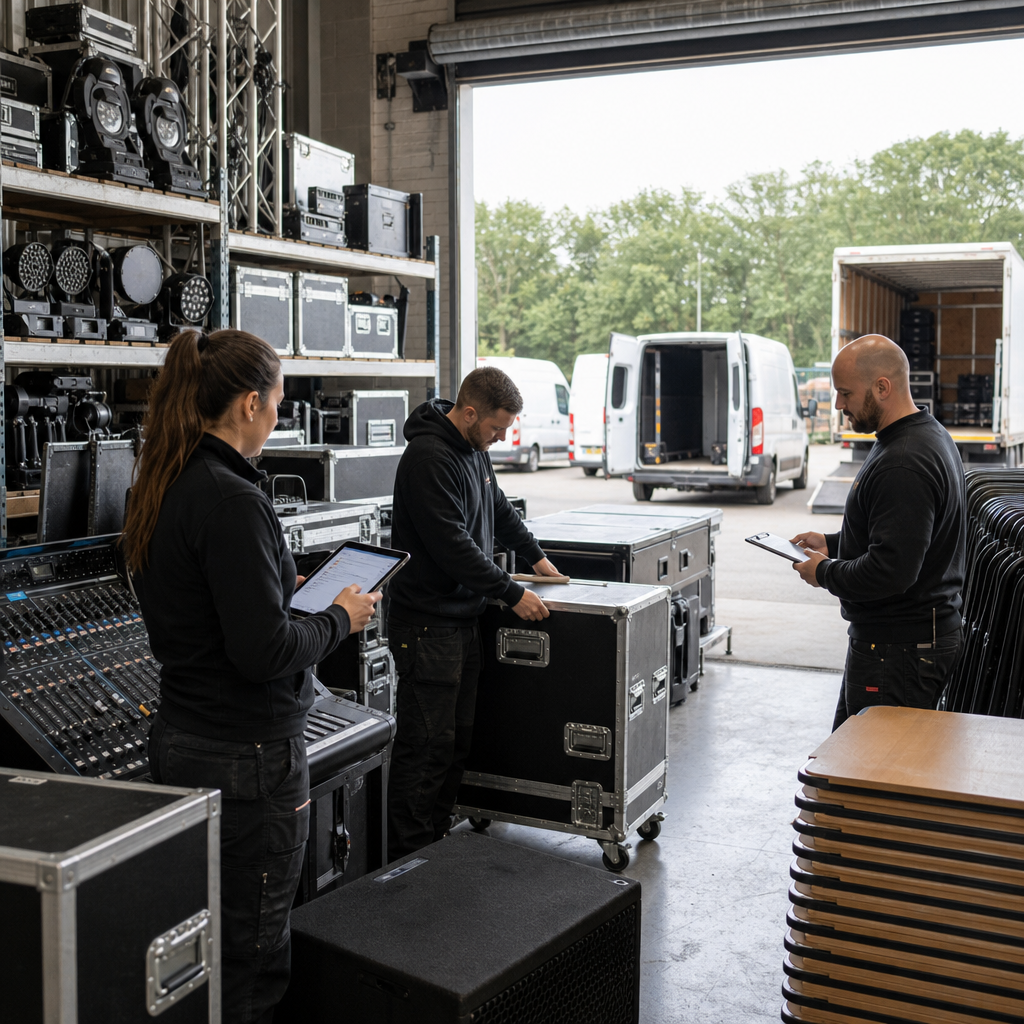
An event hire business can appear fully booked while still not knowing whether it has enough usable equipment for each job.
A marquee may be reserved for one event but still awaiting repairs. Audio equipment may be marked as available even though it is sitting in a technician’s vehicle. Tables and lighting gear may return from one booking without being checked, cleaned or matched to the next order.
For a small event hire or production business serving regional towns, venues and private functions, this uncertainty creates more than administrative inconvenience. It can lead to double-booked equipment, rushed substitutions, unnecessary purchases, delayed setups and difficult conversations with customers.
The problem is often not a lack of software. It is that the business has no reliable operational view of what each item is, where it is, what condition it is in and which booking has priority.
Why equipment availability becomes difficult to trust
Small operators commonly begin with a spreadsheet, shared calendar and a collection of supplier or staff messages. That can work while the equipment range is small and one person knows most of the details.
As bookings increase, several separate questions become mixed together:
- Is the item owned, hired from a supplier or awaiting return?
- Is it allocated to a confirmed booking or only being considered?
- Has it been dispatched, collected, returned or checked?
- Is it usable, damaged, incomplete or awaiting maintenance?
- Does the booking require related items such as stands, cables, covers or batteries?
- Who is responsible for confirming the item before dispatch?
A basic availability column cannot answer all of these questions. A piece of equipment can be physically present but unavailable because it is damaged, incomplete or already committed to another job.
When staff rely on memory or search through old messages, the business may not discover the problem until the day before setup—or when the customer is already waiting.
The business impact
Equipment errors affect several parts of the operation at once.
The sales team may accept work based on an availability assumption that has not been checked. The warehouse or dispatch team may then spend hours finding substitutions. Technicians may need to repair or source items at short notice. Managers may buy additional equipment simply because they cannot trust the information they already have.
There is also a customer-experience cost. An event business is being hired to make an important occasion run smoothly. Missing accessories, visibly worn equipment or late substitutions can damage confidence even if the event eventually goes ahead.
The financial impact is not limited to replacement costs. Staff time is consumed by searching, calling suppliers, checking vehicles and reconciling what should have been recorded earlier.
Start with an equipment status model
The first practical improvement is to define a small set of statuses that reflect how the business actually operates.
For example, an item might move through:
- Available
- Reserved
- Picked and packed
- Dispatched
- On site
- Returned for inspection
- Repair or cleaning required
- Available again
The exact labels are less important than making the transitions clear. A returned item should not automatically become available if someone still needs to inspect it. A reserved item should not be counted as free simply because it is still sitting in the warehouse.
Each item or equipment group should have a useful record containing information such as:
- Item type and internal identifier
- Quantity available
- Current location
- Condition
- Related accessories
- Current booking or job
- Expected return date
- Inspection or maintenance notes
- Person responsible for the next action
For identical low-value items, tracking quantities may be sufficient. For high-value, specialised or safety-critical equipment, individual records and inspection history may be more appropriate.
Connect equipment to the booking workflow
The booking record should show more than the customer, date and venue. It should also identify the equipment requirements and whether those requirements have been verified.
A simple pre-dispatch checklist might ask:
- Are all required items allocated?
- Are quantities sufficient for the booking?
- Have returned items been inspected?
- Are accessories included?
- Are supplier hires confirmed?
- Is transport capacity suitable?
- Is there an unresolved repair or replacement issue?
This does not mean automating every decision. An experienced operator may need to approve substitutions or decide that an item is acceptable for a particular type of event.
The useful role of technology is to make missing information visible before the decision becomes urgent.
Use alerts for exceptions, not constant notifications
A practical system should highlight situations that need attention, rather than sending staff a message for every ordinary status change.
Useful exceptions could include:
- A booking has unallocated equipment within a set number of days of dispatch.
- An item is reserved for overlapping dates.
- A returned item has not been inspected.
- A required accessory is missing.
- A supplier hire has not been confirmed.
- Equipment is marked as damaged but is still assigned to a booking.
- A job is ready to dispatch but a required check remains incomplete.
These alerts could be generated from an existing booking or job platform, a configured inventory tool or a small purpose-built workflow. The right option depends on the business’s current systems, equipment complexity and staff habits.
Improve the handoff between field staff and the office
Equipment information often becomes unreliable during the handoff between the warehouse, driver, technician and office.
A mobile-friendly form can let staff record dispatch, return, damage or missing items at the point where the event occurs. Photos can be attached when useful, while structured fields ensure that important details are not buried in free-text messages.
The office can then see what happened without waiting for someone to return, remember the details and update a spreadsheet later.
If the business already uses accounting, booking or job-management software, the equipment workflow may be connected to those systems rather than replacing them. Customer and booking information should flow into the operational record, while completion or damage information can be returned to the relevant job.
The central lesson
An event business does not need a sophisticated asset platform simply because its equipment list is growing.
It does need a shared definition of availability, clear responsibility for status changes and a dependable way to expose exceptions before they affect a customer.
The best first step may be configuring an existing system, integrating two tools or replacing a fragile spreadsheet with a small operational application. The goal is not to track every detail for its own sake. It is to help staff answer a practical question with confidence:
Can we deliver the right equipment, in the right condition, to the right event, on time?
If your business is struggling with equipment availability, booking handoffs or operational visibility, visit Melbourne Digital Solutions. Nate and Ben are available there to answer questions and help you think through practical options.