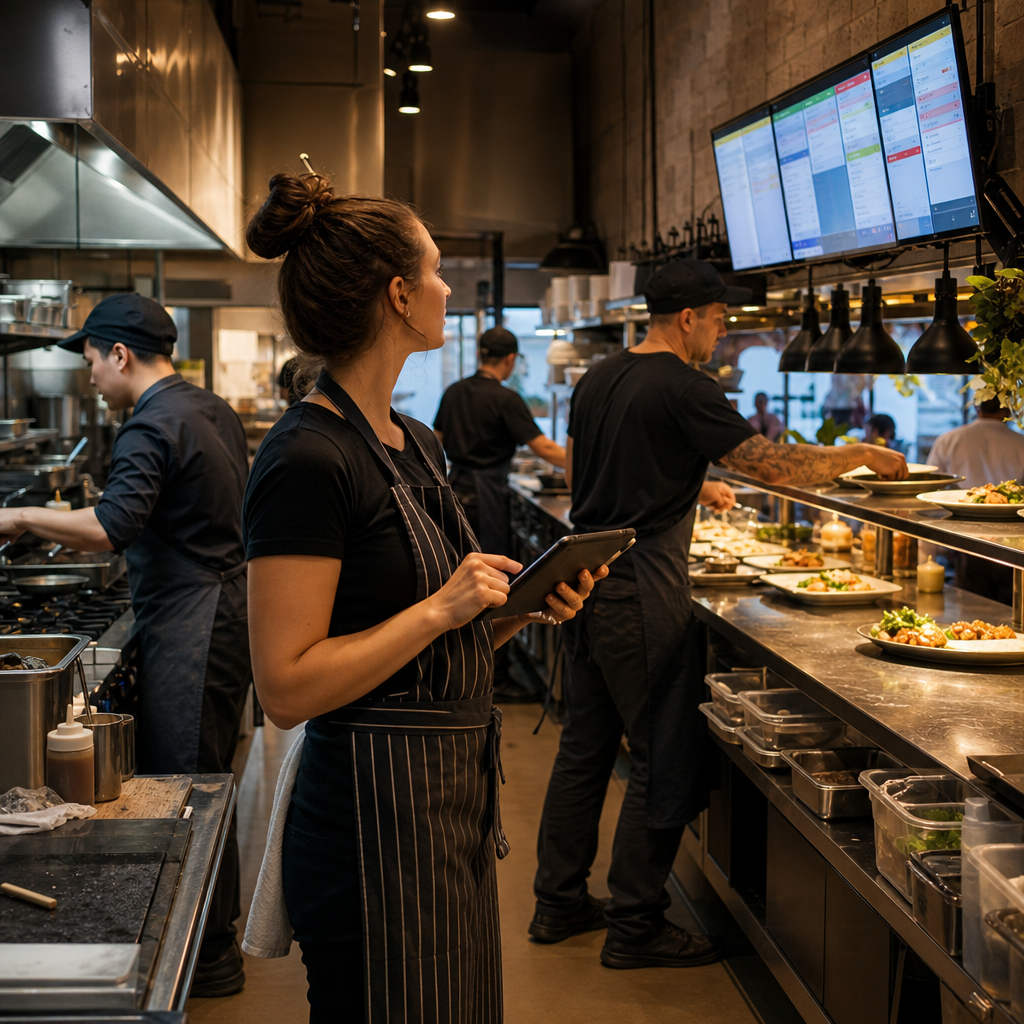
A suburban restaurant may have plenty of demand, especially on Friday nights. Orders arrive through the restaurant’s website, a delivery marketplace, phone calls and walk-in customers. Each channel appears to be working, but the kitchen still falls behind.
The problem is often not a lack of staff effort. It is that the business keeps accepting orders without a reliable view of what the kitchen can actually prepare in the next 15, 30 or 60 minutes.
When the queue becomes too large, the consequences are familiar:
- Customers wait longer than the promised time.
- Staff spend their shifts answering “Where is my order?” calls.
- Delivery drivers arrive before meals are ready.
- Kitchen staff rush, increasing the risk of mistakes.
- Managers pause or disable ordering manually, often after the damage has already started.
- Refunds, discounts and poor reviews reduce the value of the extra demand.
This is a capacity-control problem, not simply an online ordering problem.
Why separate ordering channels create pressure
A restaurant may use a point-of-sale system, a website ordering tool and one or more delivery platforms. These products may each perform their individual role adequately, but they do not always share the same information about:
- Current orders
- Preparation time
- Kitchen workload
- Menu item availability
- Delivery capacity
- Staff shortages
- Large or unusual orders
- Delayed tickets or equipment problems
If each channel continues accepting orders independently, the restaurant can promise more than the kitchen can deliver.
The issue becomes particularly difficult when menus, preparation times or order limits are changed manually in several places. A manager may reduce online orders on one platform but forget another. Staff may mark an item as unavailable at the counter while it remains available online. A temporary kitchen delay may be communicated to customers inconsistently.
The result is an operational gap between what the customer is allowed to order and what the business is ready to fulfil.
Start with a capacity model the team can understand
The first step is not necessarily to build a new ordering system. It is to define how the restaurant decides whether it can accept another order.
For example, the business might use:
- A maximum number of orders per 15-minute collection window
- Separate limits for delivery and collection
- Additional preparation time for large orders
- Reduced capacity during staff breaks or known busy periods
- Item-level limits for slow or labour-intensive menu items
- A manual override for a manager
- A clear rule for temporarily pausing a channel
These rules do not need to predict every kitchen condition. They need to be consistent enough to prevent the most common failures.
A simple capacity model might consider the number of active orders, the estimated preparation time of each order and the restaurant’s available kitchen capacity. Where precise calculation is impractical, time-slot limits and exception rules can still provide useful protection.
The important point is to make the decision visible and repeatable rather than leaving it to whoever happens to notice the queue.
Connect the customer promise to the operating workflow
A reliable digital response can sit between the ordering channels and the restaurant’s existing systems.
Depending on the business, this might involve:
- Receiving new orders through supported integrations or structured notifications.
- Recording the order and fulfilment method in a central operational view.
- Calculating the current workload against agreed capacity rules.
- Adjusting available collection times or preparation estimates.
- Flagging unusual orders for staff review.
- Sending clear status updates to the kitchen, front counter or delivery coordinator.
- Alerting a manager when the restaurant is approaching a threshold.
- Recording pauses, overrides and delays for later review.
The point is not to automate every decision. A manager may still need to decide whether to accept a large catering order, pause delivery or extend preparation times. The system should make that decision easier and earlier.
Build for exceptions, not just normal orders
Busy restaurants rarely fail because the normal process is unknown. They fail when something unusual happens and the system has no safe response.
Useful exception cases include:
- A large order arrives during a peak period.
- A popular menu item sells out.
- A delivery driver is delayed.
- The kitchen printer or ordering integration stops responding.
- A customer requests a change after the order has entered preparation.
- The current workload exceeds the planned threshold.
- A channel reports an order that is missing from the point-of-sale system.
Each exception should have an owner and a next action. For example, a capacity alert might require the shift manager to increase preparation times, pause one channel or contact affected customers. A missing-order alert might require staff to verify payment and prevent duplicate preparation.
This is where validation, alerts and clear fallback procedures matter. Automation that silently fails can make a busy service worse.
Keep customer communication practical
Customers do not need to see the restaurant’s internal workload. They do need an honest, consistent promise.
A connected workflow can help the business:
- Offer realistic collection windows
- Show a longer preparation time when capacity is tight
- Stop accepting selected order types temporarily
- Send a delay message when an order passes a defined threshold
- Give staff a current status they can use when answering enquiries
Even a simple status process is better than asking each employee to estimate delivery times from memory.
The restaurant should also decide which messages can be automated and which require human review. A routine delay notification may be suitable for automation. A serious service failure, refund decision or complaint still needs a person with authority to respond.
Measure whether the change is working
The business should review more than total online sales. Useful measures include:
- Orders accepted per time period
- Average preparation time
- Orders exceeding the promised time
- Delays by ordering channel
- Cancelled or refunded orders
- Frequency of capacity overrides
- Menu items causing repeated bottlenecks
- Customer contacts about order status
These measures help distinguish a demand problem from a process problem. If sales are increasing but late orders and refunds are also rising, the restaurant may need better capacity controls rather than more promotional activity.
The practical lesson
An online ordering channel is not successful merely because it accepts payment. It must also respect the business’s ability to prepare and fulfil the order.
For a growing restaurant, the most useful solution may be a combination of configuration, integration, capacity rules, alerts and staff procedures. A new platform is not automatically the answer. The better approach is to connect the customer promise to the kitchen’s real operating conditions and give staff control when circumstances change.
If your business is struggling with disconnected ordering channels, inconsistent capacity or avoidable service delays, visit Melbourne Digital Solutions. Nate and Ben are available there to answer questions and help you think through practical options.